
Pomodoro timer
A Pomodoro timer for studying, alone or together
Pick a preset or set your own lengths, press start, and let the timer run the cycle: focus, a short break, and a long break every few rounds. Free on iPhone, Android, Windows, and the web, with a room full of people if you want company.
The method
The Pomodoro Technique, in two sentences
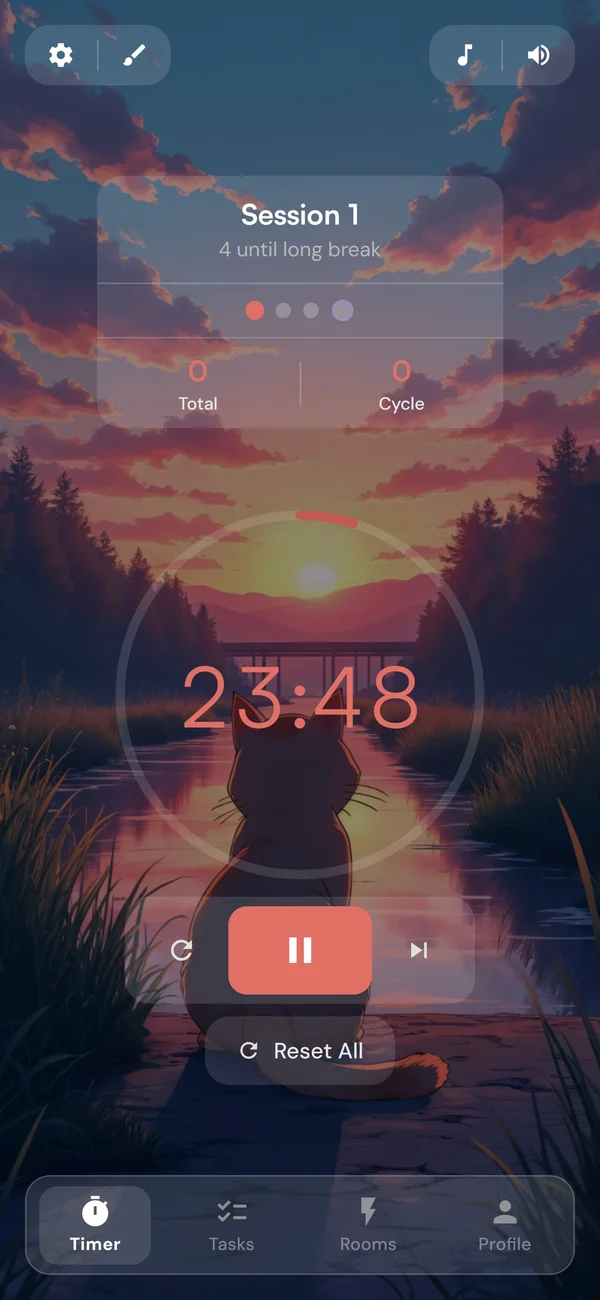
Francesco Cirillo's method: work for 25 minutes, take a short break, and after four rounds take a longer one. A fixed block makes a big task small enough to start, and the bell means you never have to decide when to stop. Would you rather stop when the work does? That is the idea behind the Flowtime Technique, and Stopwatch mode covers its count-up half.
Presets
Pomodoro timer presets, or your own numbers
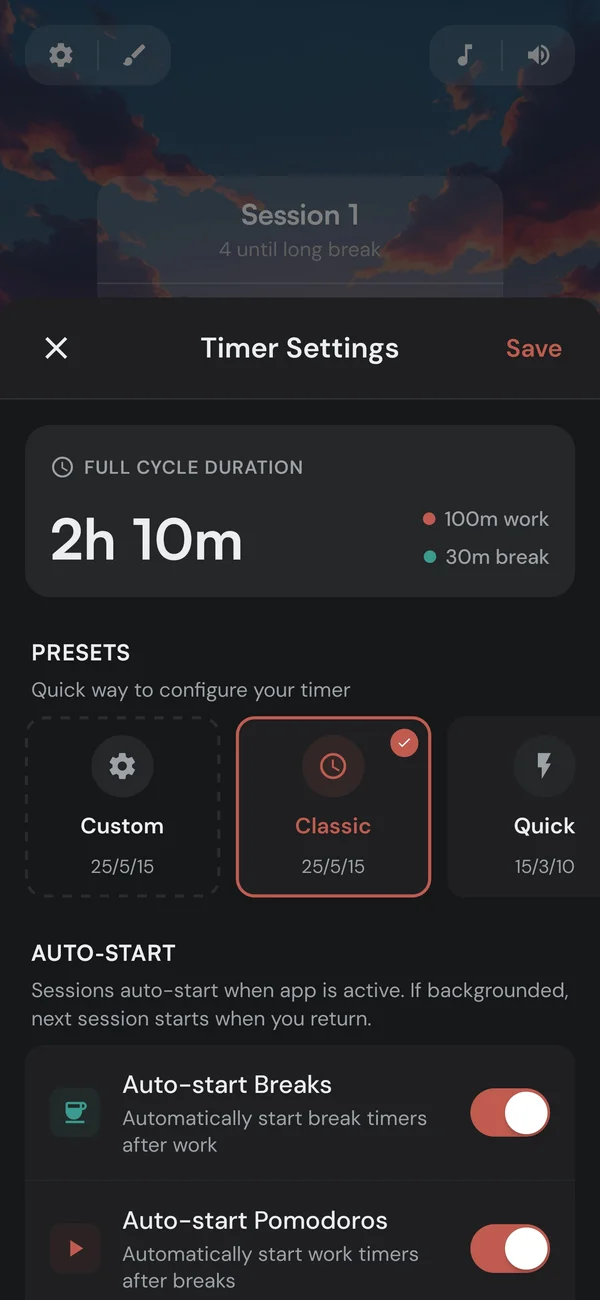
Each preset sets the focus length, both breaks, and how many sessions come before the long break. Pick Custom to set each one yourself.
Scroll sideways to see the whole table.
| Preset | Focus | Short break | Long break | Long break after |
|---|---|---|---|---|
| Classic | 25 min | 5 min | 15 min | Every 4 sessions |
| Quick | 15 min | 3 min | 10 min | Every 4 sessions |
| Extended | 50 min | 10 min | 30 min | Every 4 sessions |
| Long Focus | 90 min | 15 min | 30 min | Every 2 sessions |
| Custom | 5 to 180 min | 1 to 60 min | 5 to 120 min | Every 2 to 8 sessions |
The cycle
Press start once, and the cycle runs itself
- Auto-start, within a cycleBreaks and the next focus session can start on their own; on a phone, the next one waits until you are back in the app. After the long break the timer stops, says the cycle is complete, and offers a shortcut to your stats.
- Your place in the cycleThe dial shows where you are, like Focus · 2/4. Restart the current session without losing your place, or reset the whole cycle.
- Exact lengthsSliders move in steps, and the − and + buttons adjust by a single minute, so 42 minutes is a drag and two taps.
In the background
Keeps time when you look away
- On the system clockThe countdown is worked out from the clock, not ticked down, so it stays right with the screen off or while you use other apps. While it runs, the screen stays awake.
- An alert when it endsA sound, a vibration on your phone, and a notification when you are not in the app. In a browser, it reaches you in another tab.
- Time left, at a glanceOn Android, a notification shows the countdown with Pause, Skip, and Reset. In a browser, the tab title does.
With friends
Take the timer into a study room
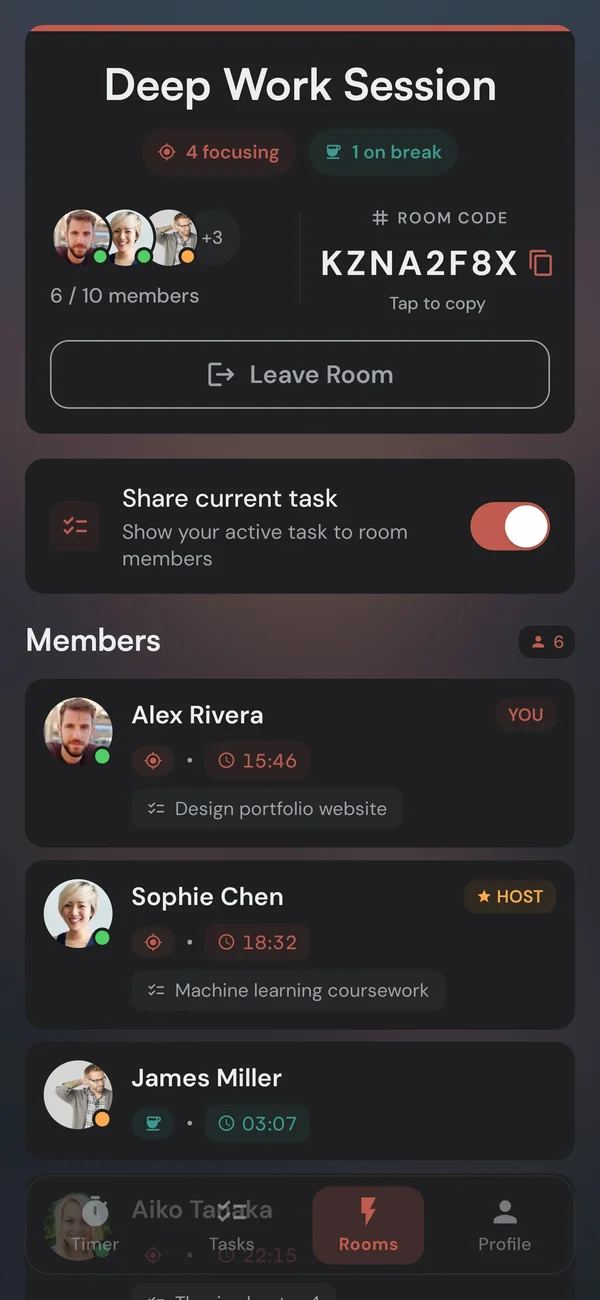
In a Focus Room, everyone runs their own timer, and the room shows each person's countdown next to their name, focusing or on a break. Nobody has to agree on a length, so 25/5 and 50/10 sit side by side. Joining any room is free, public from the list or private with a code, and creating one is Premium. No camera, no microphone.
Make it calm
A timer you will not mind looking at
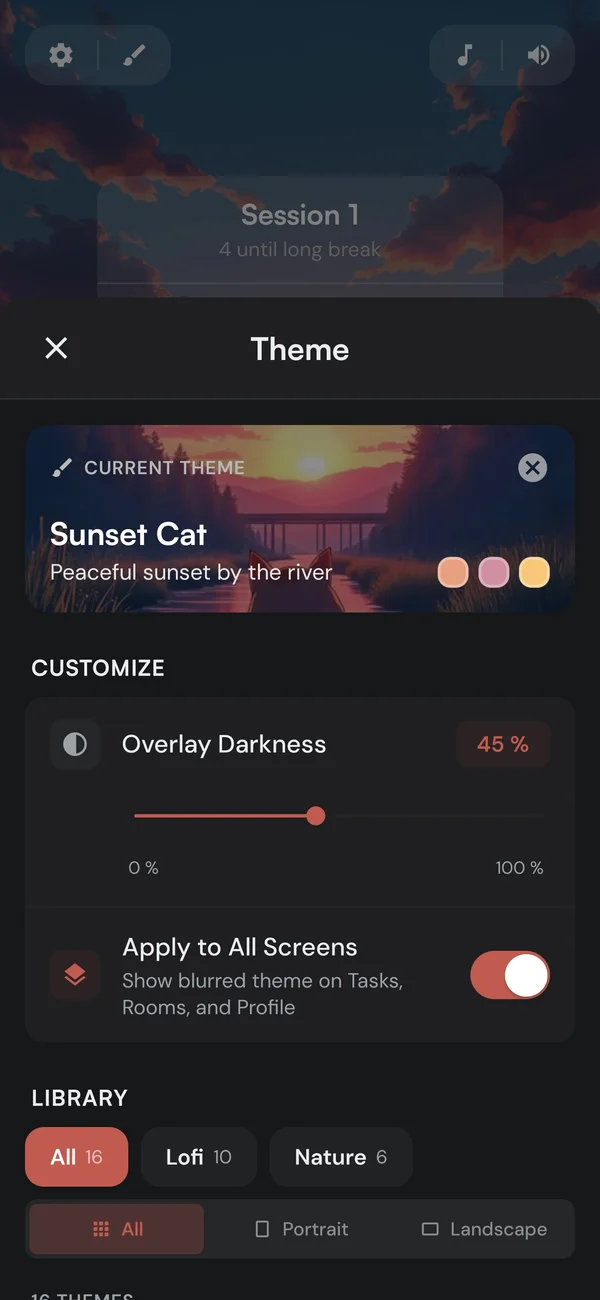
- BackgroundsIllustrated, photographic, and animated scenes behind the dial. Every still is free.
- Focus musicFive categories, a free track in each, muted on breaks if you like.
- Two soundsOne for the end of focus, one for the end of a break, each with its own volume.
- Immersive modeHide the status bar, header, and tab bar while a session runs, or go fullscreen in a browser.
Other mode
When to switch to Stopwatch
Some work does not fit a 25-minute box. In Stopwatch mode focus counts up, and you finish when the work does.
- When a bell would cut you offWriting, coding, a problem set that finally clicked. Stop where the work stops, not in the middle of a thought.
- Same breaks, same statsYour short and long breaks stay the lengths you set, and the minutes count toward tasks, habits, and your streak the same way.
- One setting awayPick Stopwatch under Mode in the timer settings. Change it on a break and the break runs on.
Questions
The short answers
Yes, all of it: every preset, custom lengths, auto-start, alerts, and stats for the last 30 days, on every platform. Premium adds things around the timer, like all-time stats, the full music library, and creating your own Focus Rooms.
Yes. Pick Custom and set focus from 5 to 180 minutes, the short break from 1 to 60, the long break from 5 to 120, and 2 to 8 sessions before the long break.
You get the long break. With auto-start on, the cycle runs by itself while the app is open, and after the long break the timer stops and shows that the cycle is complete. Long Focus takes its long break after every second session instead of every fourth.
Yes. It runs on the system clock, so it keeps correct time with your screen locked or while you use other apps, and alerts you when a session ends. Closing the app completely ends the session that is running; the minutes it already counted stay in your stats.
Yes. In a Focus Room everyone runs their own timer side by side, so one friend can do 25/5 while another does 50/10. Joining any room is free. To study with a set group, one person on Premium creates a private room and shares its 8-character code.
Yes. Kaizen runs in any browser at my-kaizen.app and as a Windows app from the Microsoft Store, with the same account as your phone. App blocking and push reminders for tasks and habits need the phone app.
Your sessions, stats, tasks, and habits sync. Timer settings are saved on each device, so your phone can run Classic while your laptop runs Extended.
Start a Pomodoro, free
Open Kaizen in your browser, sign up free, and press start. Nothing to install.